Silence the alarm horn
The runtime screen sounds a horn while an alarm waits for acknowledgement. Silence stops the sound, not the alarm: the alarms still wait until someone acknowledges them.
Before you begin
- You are signed in to the runtime screen. See Open the runtime screen and sign in.
How the horn sounds
The horn sounds while at least one alarm is present and not acknowledged. Each priority has its own rhythm, so you can tell them apart without looking:
| Priority | Sound |
|---|---|
| Critical | A continuous two-tone siren |
| High | Three fast beeps, then a pause |
| Medium | Two beeps, then a pause |
| Low | One beep every three seconds |
When alarms of several priorities wait, the horn uses the most urgent one. An alarm that has gone but is not yet acknowledged does not sound the horn. The horn also sounds when the window is minimised or behind other windows, and it stops when the alarms are acknowledged on another station.
Steps
1. Silence the horn
Click Silence at the right of the alarm bar. The alarm list has the same button in its toolbar, and the alarm band has a Horn button. If the alarm bar is hidden, a Silence button appears at the bottom right of the screen.
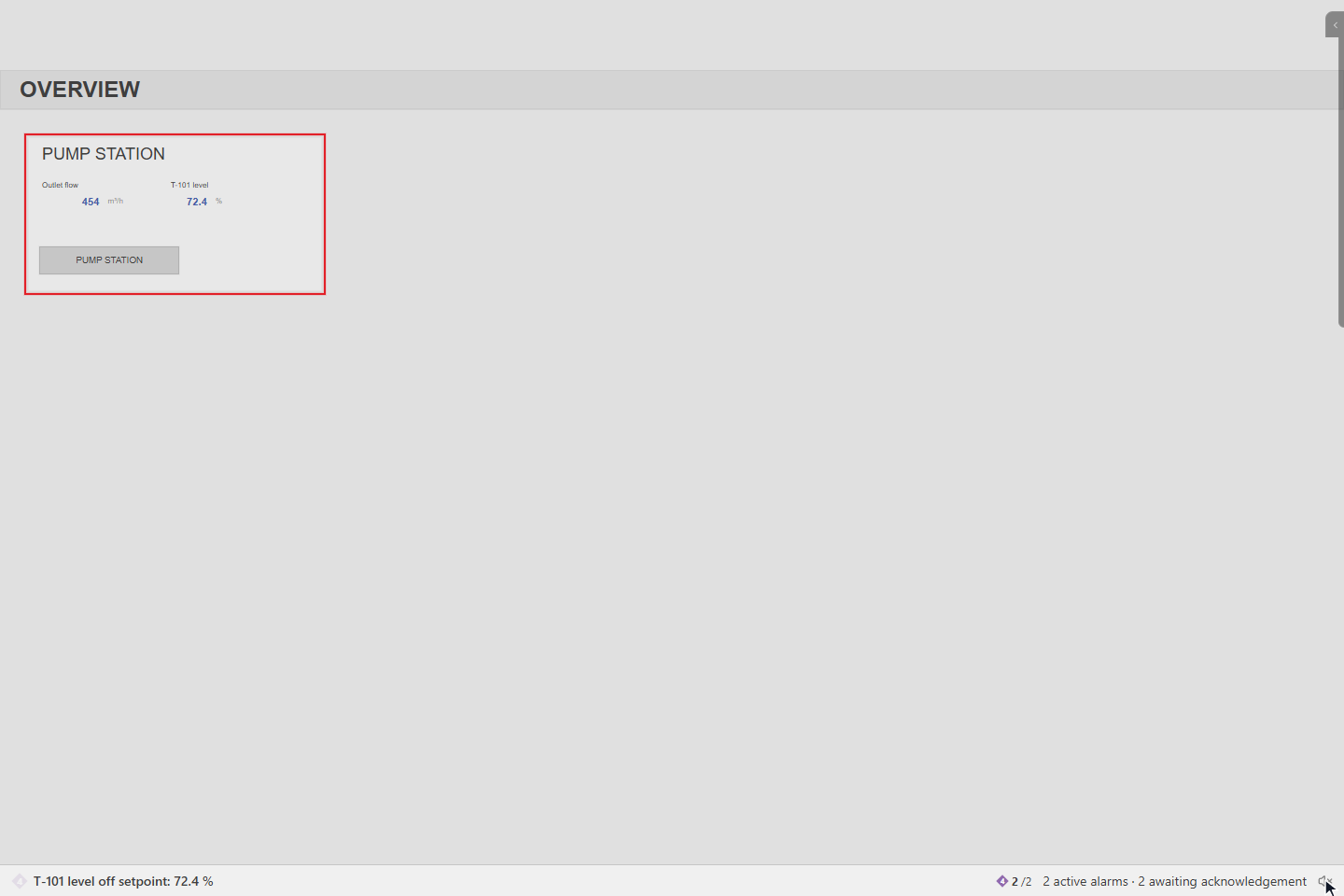
The button is replaced by a crossed-out speaker. Point at it to read Horn silenced — sounds again on a new alarm. The counters do not change: the alarms still wait for acknowledgement.
2. When a new alarm comes
When a new alarm comes that is not acknowledged, the horn sounds again and Silence comes back. Here the communication alarm of Main PLC (high priority) has come.
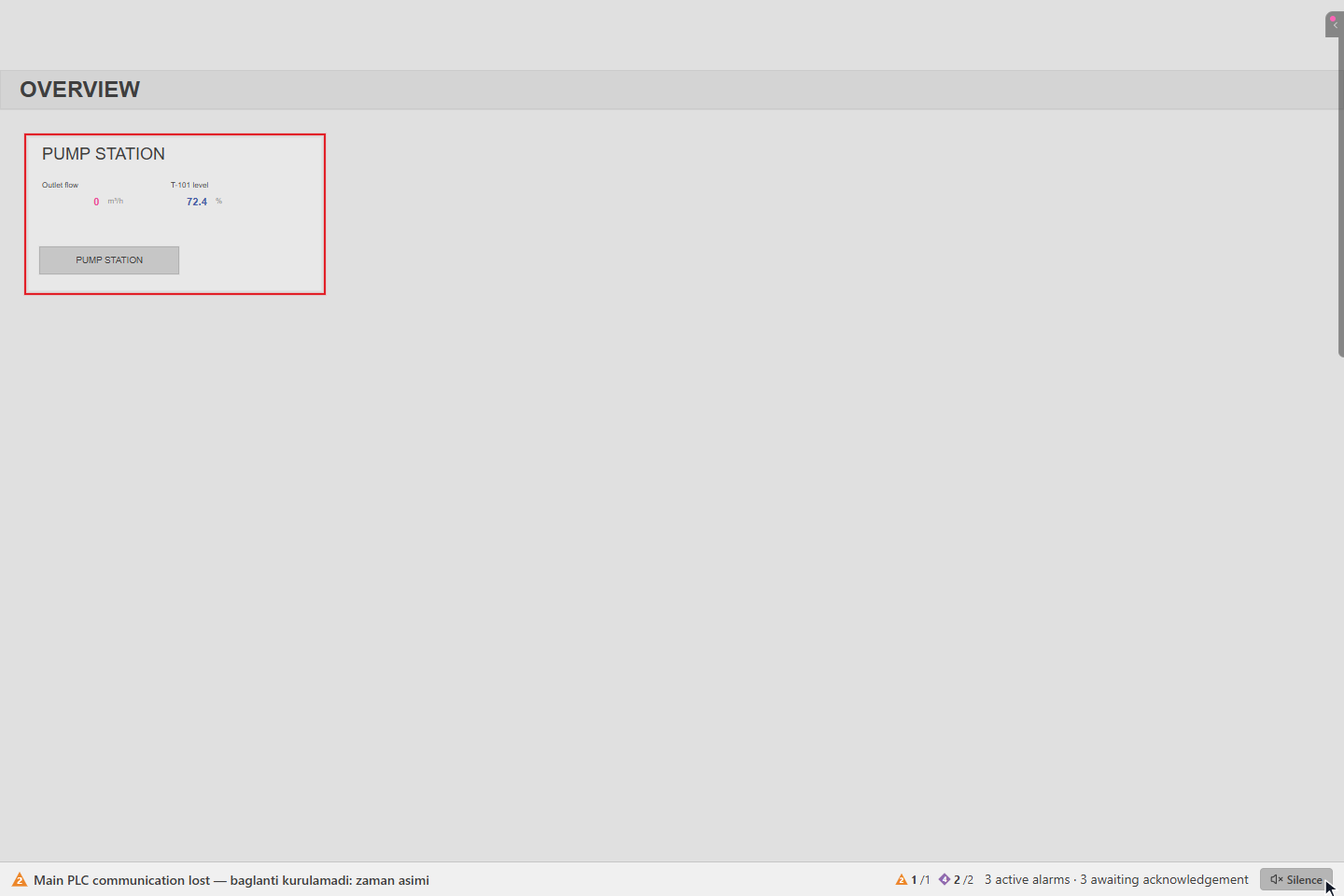
The horn stops by itself when all alarms are acknowledged. See Acknowledge alarms.
3. Set the horn for this browser
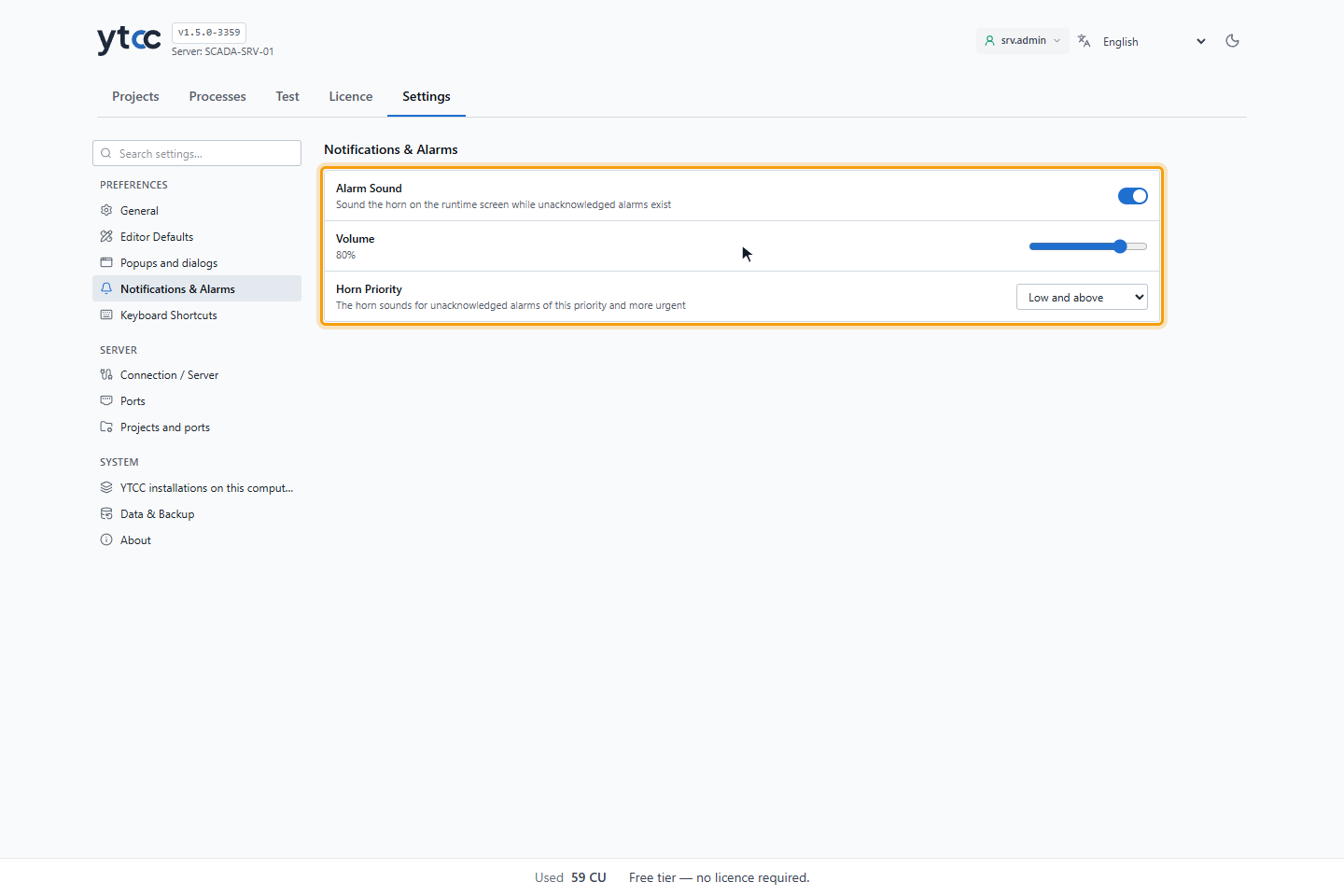
The horn settings belong to the browser, not to the project or the user. On the home page, click Settings and go to Notifications & Alarms:
- Alarm Sound turns the horn on or off.
- Volume sets how loud it is.
- Horn Priority sets the least urgent priority that sounds the horn: Low and above (the default), Medium and above, High and above or Critical.
On a control room station, agree these settings with your project engineer. A station with Alarm Sound off does not warn you.
Result
You can silence the horn without losing an alarm, and you know when it sounds again.
Good to know
- Browsers do not play sound until you click the page once. Until then, Click to enable alarm sound appears at the bottom right; click anywhere on the page to allow the sound.