Stop the system
A system stop ends all processes of the project at once: drivers, alarm engine, history and server scripts. It is meant for planned shutdowns, for example before a firmware update of the controllers, and for emergencies that require the SCADA to stop operating. Because its effect is total, YTCC asks twice and records who stopped the system and why.
After a system stop no field data arrives, no alarms are raised and no commands can be sent until someone starts the project again. Agree a system stop with the responsible persons first.
Before you begin
- Your profile has the System stop permission. In the default profiles only the administrator profile has it.
- The page has a button with the click action System Stop, prepared by the designer.
Steps
1. Read the warning
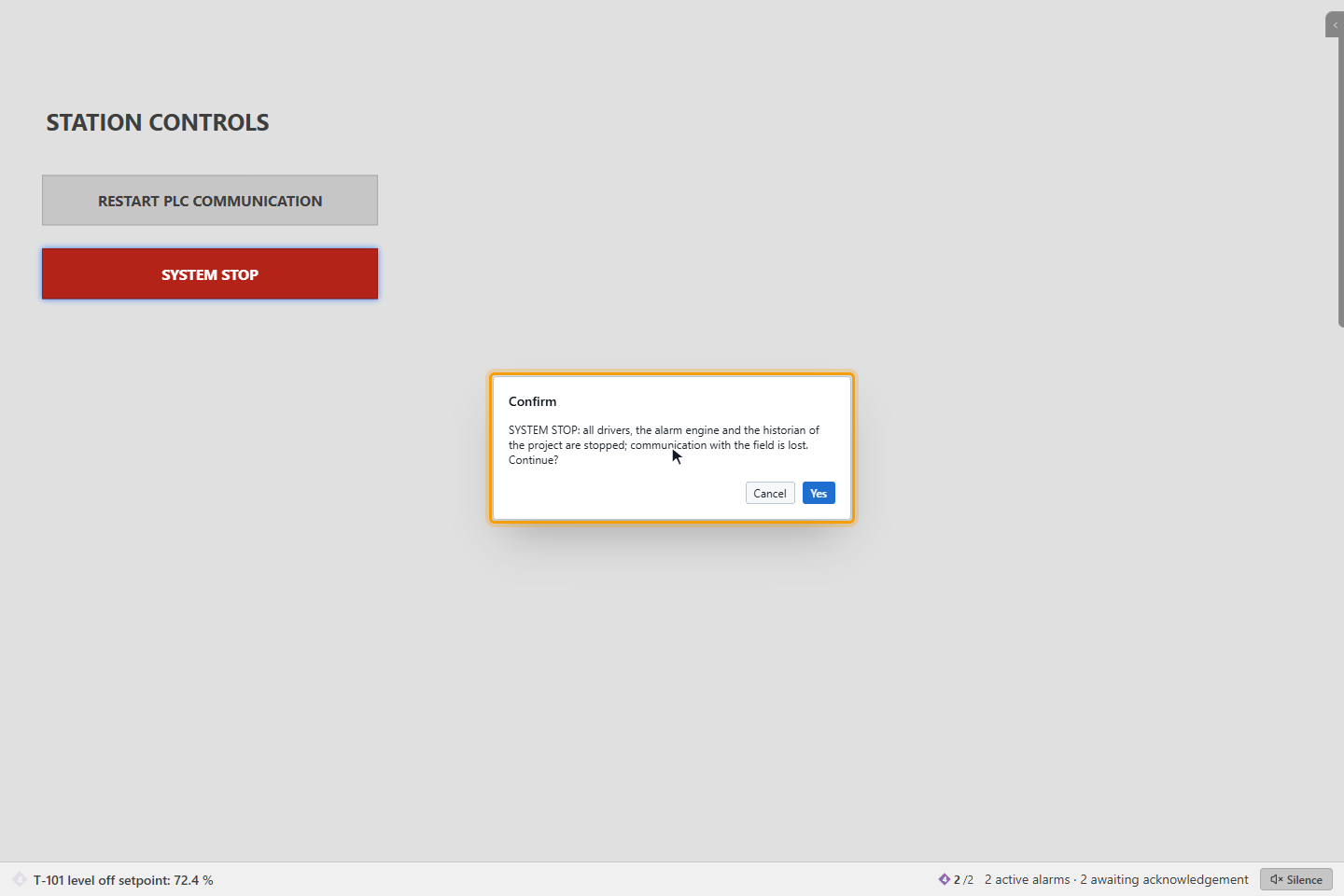
Click the button, here SYSTEM STOP. The first window warns: SYSTEM STOP: all drivers, the alarm engine and the historian of the project are stopped; communication with the field is lost. Continue? Click Yes to go on, Cancel to stop here.
2. Type the project code and the reason
The window System stop repeats that this cannot be undone. Type the project code shown in bold after Type the project code to confirm:, here pump_station, exactly as shown. Enter a Reason.
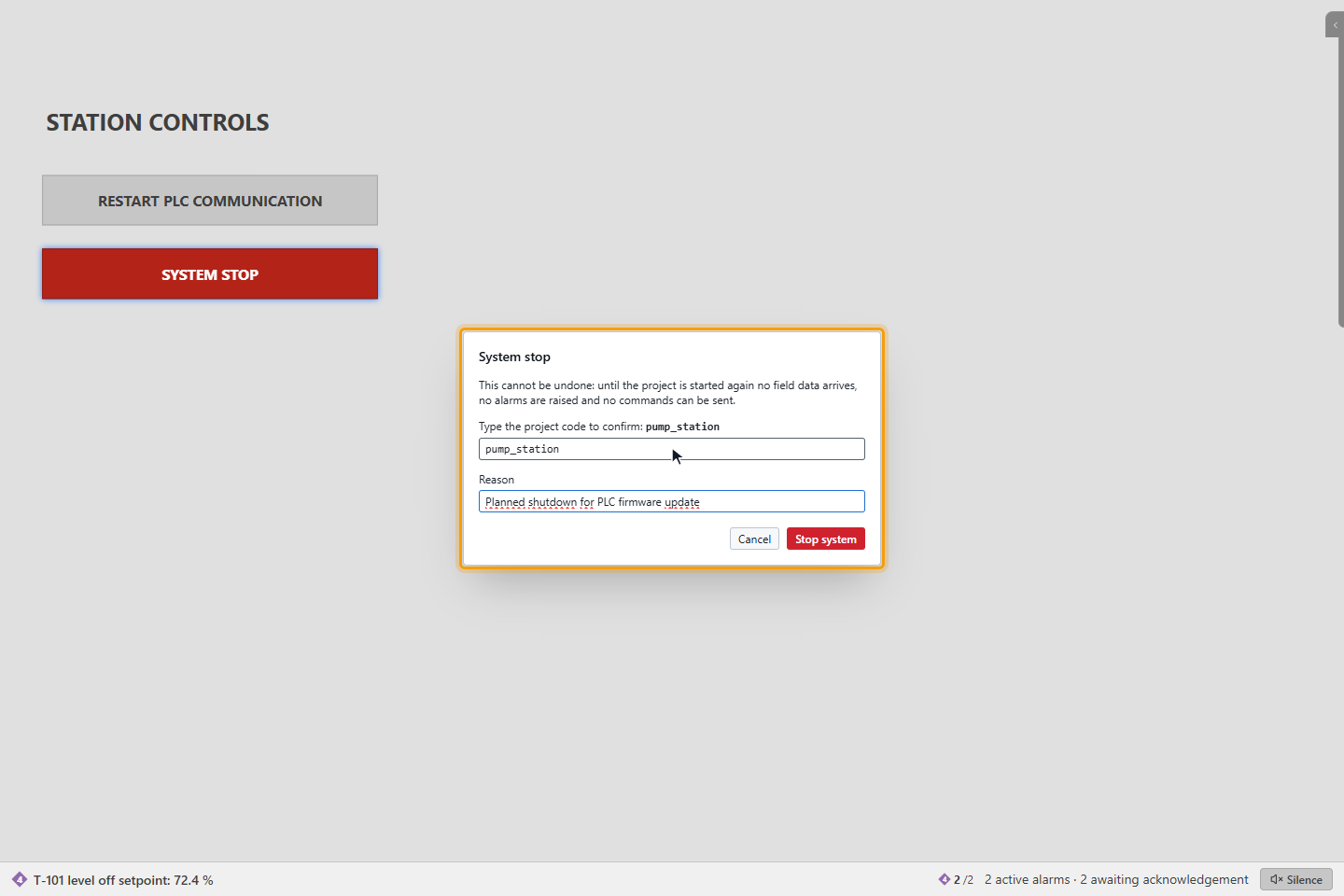
Stop system stays disabled until the code matches and a reason is entered.
3. Stop the system
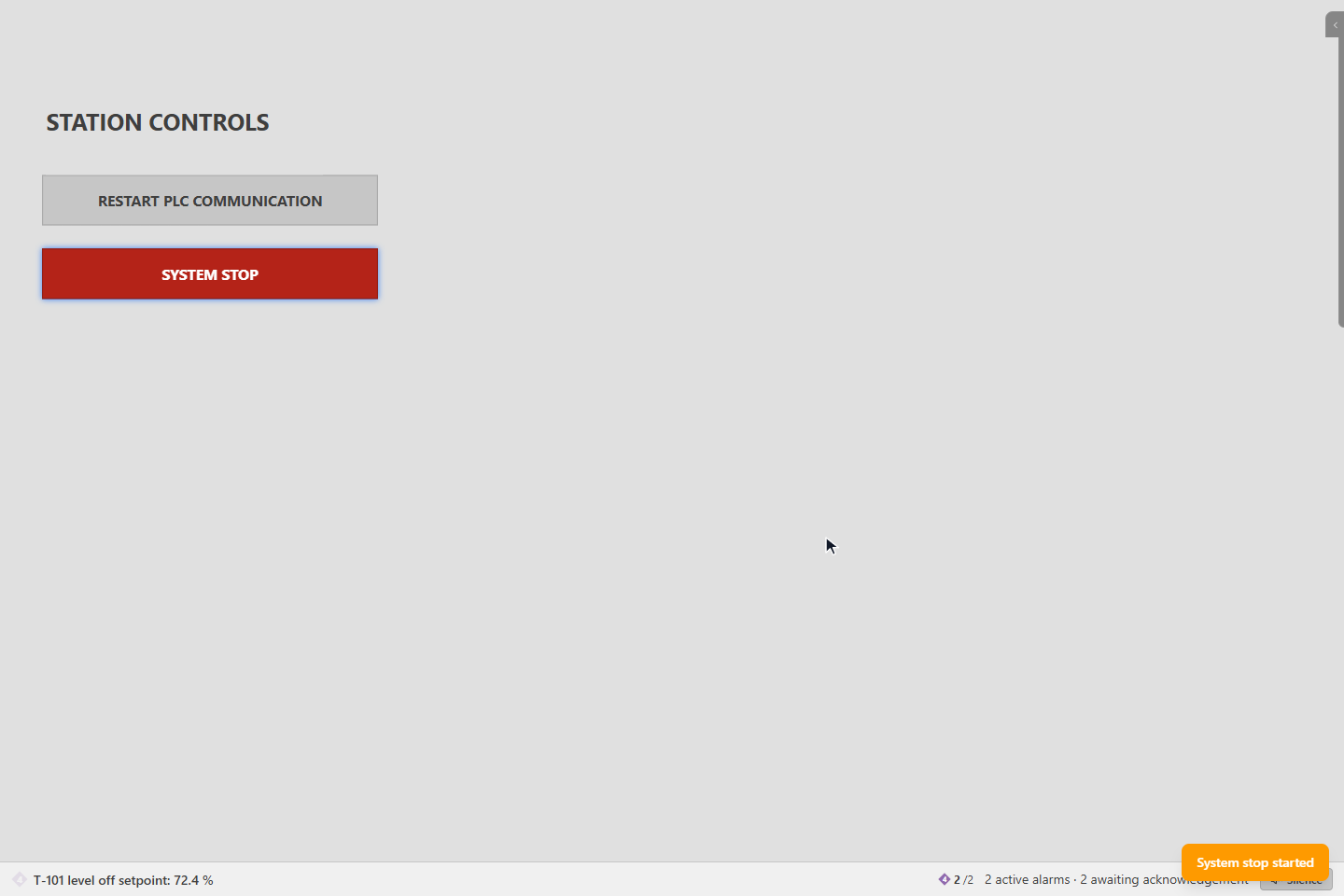
Click Stop system. The message System stop started appears and the processes stop one after the other. If the project runs its own server, the run screen loses its connection too; see When the connection is lost.
What is recorded
Before anything is stopped, the request is written to the event list as System stop requested, with your name and the reason. If this record cannot be written, the system is not stopped. The result follows as System stop.
Start again
Start the project again from its card on the home page or in the configuration editor; see Start and stop a project.
Good to know
- The code is compared exactly, including capitals; only spaces at the start and the end are ignored.