Start, stop or restart communication
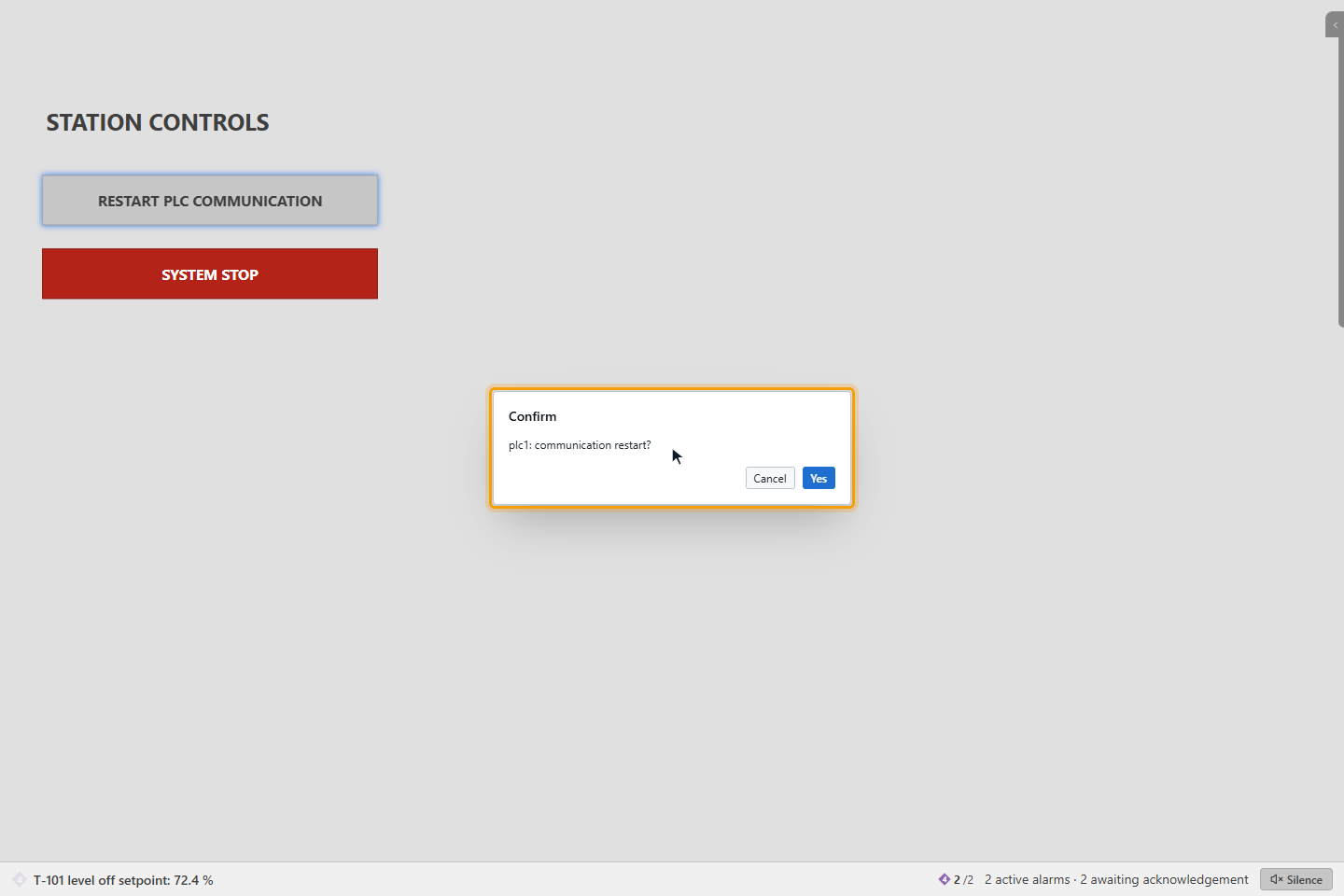
When a device hangs or after work in the field, it can help to restart the communication with it, without asking the engineer to do it on the server. On the run screen this is done with a button the designer has prepared for one driver, here RESTART PLC COMMUNICATION for the driver plc1.
While a driver is stopped, its signals receive no values and its commands cannot be sent. Stop communication only when you know the effect on the plant.
Before you begin
- Your profile has the Communication control permission. In the default profiles the supervisor, maintenance and administrator profiles have it; operators do not.
- The page has a button for the driver. Designers add it with the click action Communication Control (driver key and start, stop or restart); see Click actions.
Steps
1. Confirm the command
Click the button. YTCC asks for confirmation, for example plc1: communication restart?, with Yes and Cancel. Cancel is the default button, so Enter alone does not send anything.
2. Read the result
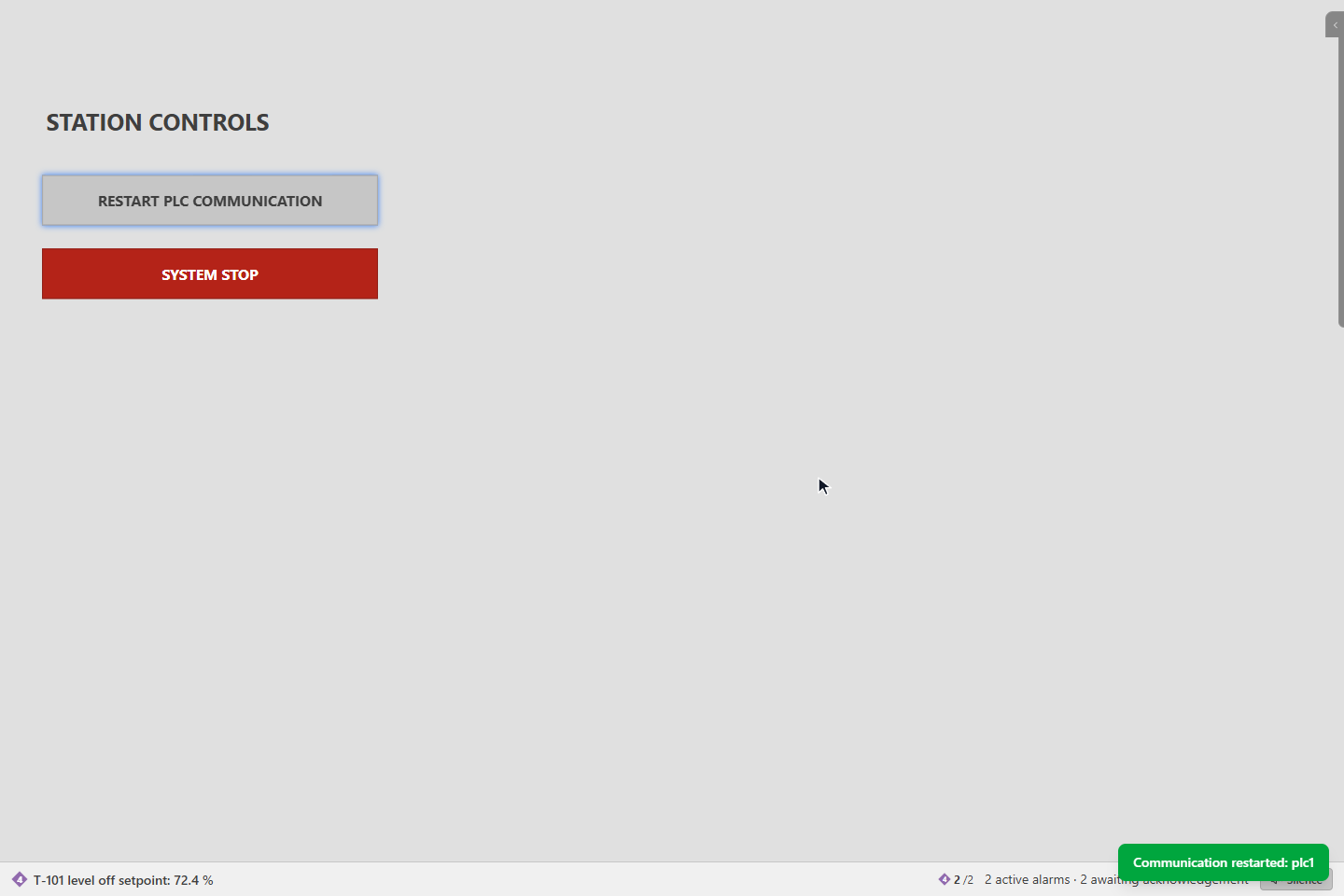
Click Yes. A green message confirms the action, for example Communication restarted: plc1. If the server refuses or cannot carry it out, a red message says Communication control failed (plc1): and the reason, for example You are not allowed to control communication.
What happens
- Only the driver process is started, stopped or restarted. The server itself, the alarm engine, the history and the scripts are not affected.
- A stopped driver stops reporting. After a few seconds its signals show not connected and a system alarm reports that the driver is not running. After a restart the values return within a few seconds.
- Every attempt, successful or not, is written to the event list as Communication control, with the driver, Start, Stop or Restart, your name and the result.
Good to know
- Scripts can do the same with
Driver.start,Driver.stopandDriver.restart; the same confirmation appears. See Client script API. - One button controls one driver.