Test addresses and check communication
Before you rely on an address, test it: Read now reads it once from the device and shows the raw value, the converted value and the quality. The Communication check looks at all devices of the project at once and warns about two devices with the same address and about devices that are polled more often than they can answer.
Before you begin
- The configuration editor is open. For Read now the project and the driver of the signal are running.
Steps
1. Read an address now
Open the signal window, go to the Value source tab and click Read now next to the address; the Properties panel of a signal has the same button. YTCC reads the address as it is in the form, also before you save it, and shows the raw value with the number of registers, the value after scaling, the quality, the round-trip time, how it was read (here FC3 read) and the time of the read, for example raw 0x00BA (1 register) · value 186 · Good · 1 ms round trip · FC3 read.
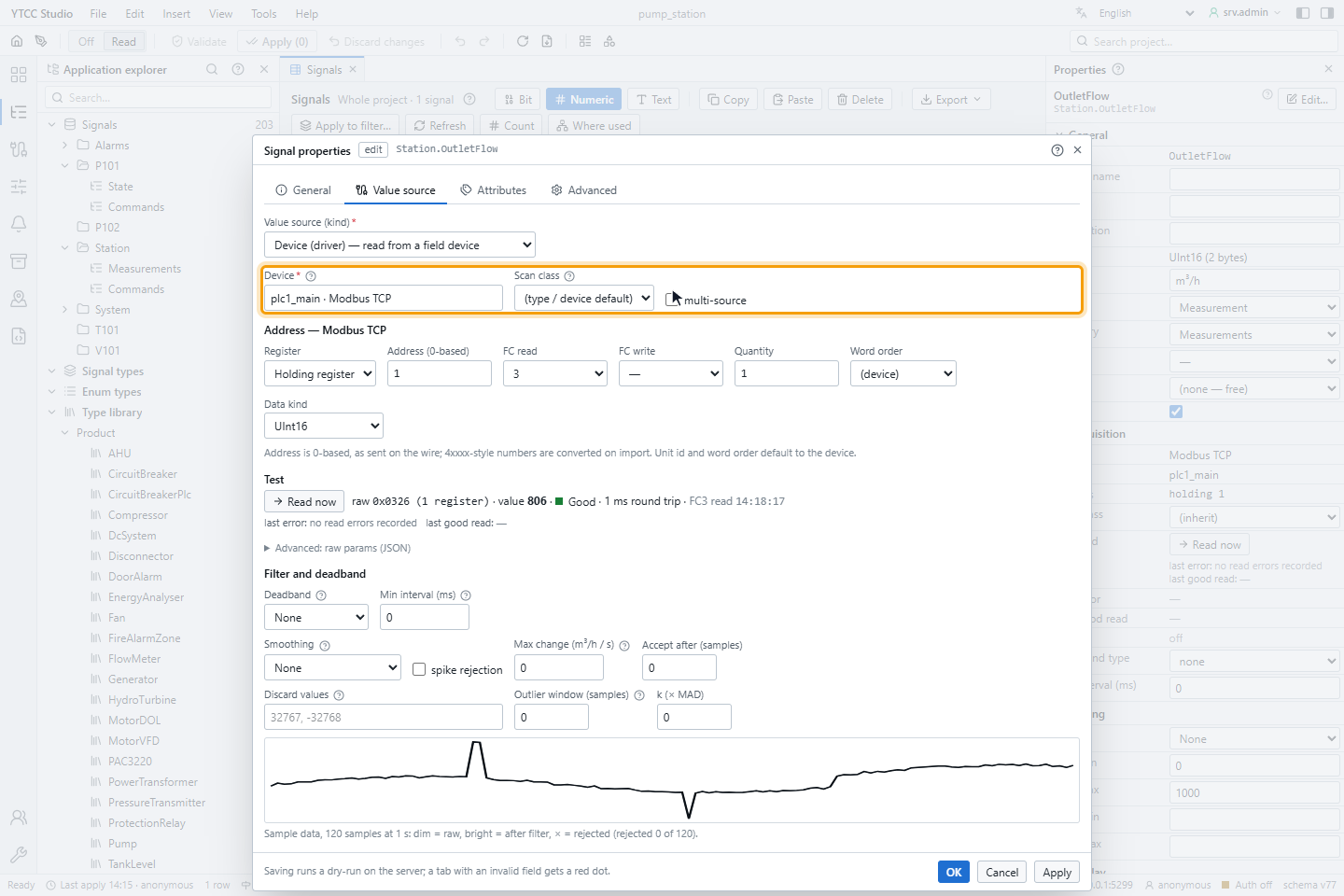
Nothing is written to the device. Below the result, last error and last good read show the last results of the running driver for this signal.
| Message | Cause |
|---|---|
| No answer from driver … within 3 s — is it running? | The project or the driver is not running |
| Timeout — no answer from the device within 2.5 s | The device does not answer |
| Driver busy — another test read is running | At most 4 test reads per driver run at the same time |
| At most 10 test reads per 10 s — wait a moment | Limit per user and project |
Read now works for the Modbus, S7, OPC UA, BACnet, DNP3, IEC 101, IEC 104, IEC 61850, SNMP, EtherNet/IP and ADS drivers.
2. Check the communication
Choose Tools › Communication check…. The window lists each device with its driver, protocol, endpoint, unit, number of signals and read blocks, scan period, requests per second and Load, and a summary, here 0 errors · 0 warnings · 1 device · 3 signals · 2.0 requests/s.
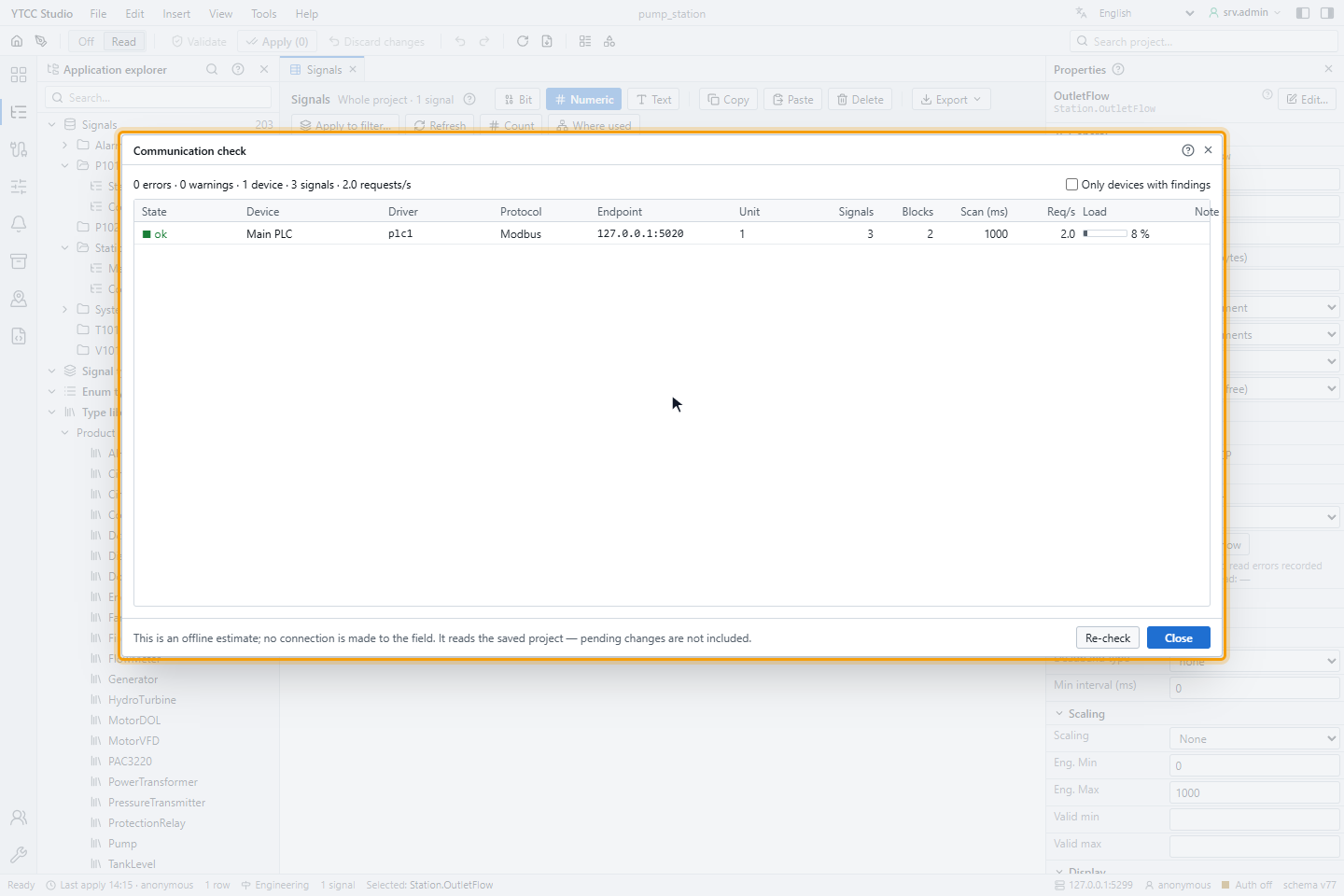
The check is an estimate from the saved project; it makes no connection to the field, and changes not yet applied are not included. It reports:
| Finding | Severity |
|---|---|
| Two devices with the same endpoint and unit (Modbus unit id, IEC 104 common address, DNP3 or IEC 101 link address) | Error |
| Two devices on the same serial link with the same link address | Error |
| Devices on the same serial link with different settings (baud rate, parity, data and stop bits) | Warning |
| An information object address used more than once on a device (IEC 101 / 104) | Warning |
| A device or serial link loaded above 80 % | Warning |
The load compares the requests per second with what a device of that protocol typically answers (for example 25 per second for Modbus, 60 for S7). Event-driven drivers show a note instead. Only devices with findings hides the others; Re-check runs the check again.
Scan and device tools of the drivers
Some drivers have their own tools in Drivers:
| Tool | Driver | Described in |
|---|---|---|
| Scan / EDE: find devices and objects on the network or from an EDE file and create signals | BACnet | BACnet |
| Scan / Profile: discover the points of an outstation or read a Device Profile XML and create signals | DNP3 | DNP3 |
| Outstation management: status, special actions, file browser and virtual terminal | DNP3 | DNP3 |
| SCL import: create signals and diagrams from an IED configuration | IEC 61850 | SCL import |