Create bit signals from a word
Many devices pack several states into one register, a status or alarm word: bit 0 "pump 1 running", bit 1 "pump 2 running" and so on. Instead of decoding the word on every screen, create one bit signal per state. Each bit signal is derived from the word: it is read only and has the quality and time stamp of the word.
Before you begin
- The configuration editor is open and the word exists as a signal with an integer data type (Int or UInt, 8 to 64 bits), here Station.OutletFlow (UInt16).
Steps
1. Open Create bit signals
Right-click the word in the signal list and choose Create bit signals…. For signals that are not integers the item is grey with the tooltip Only for integer signals (Int / UInt): status or alarm words.
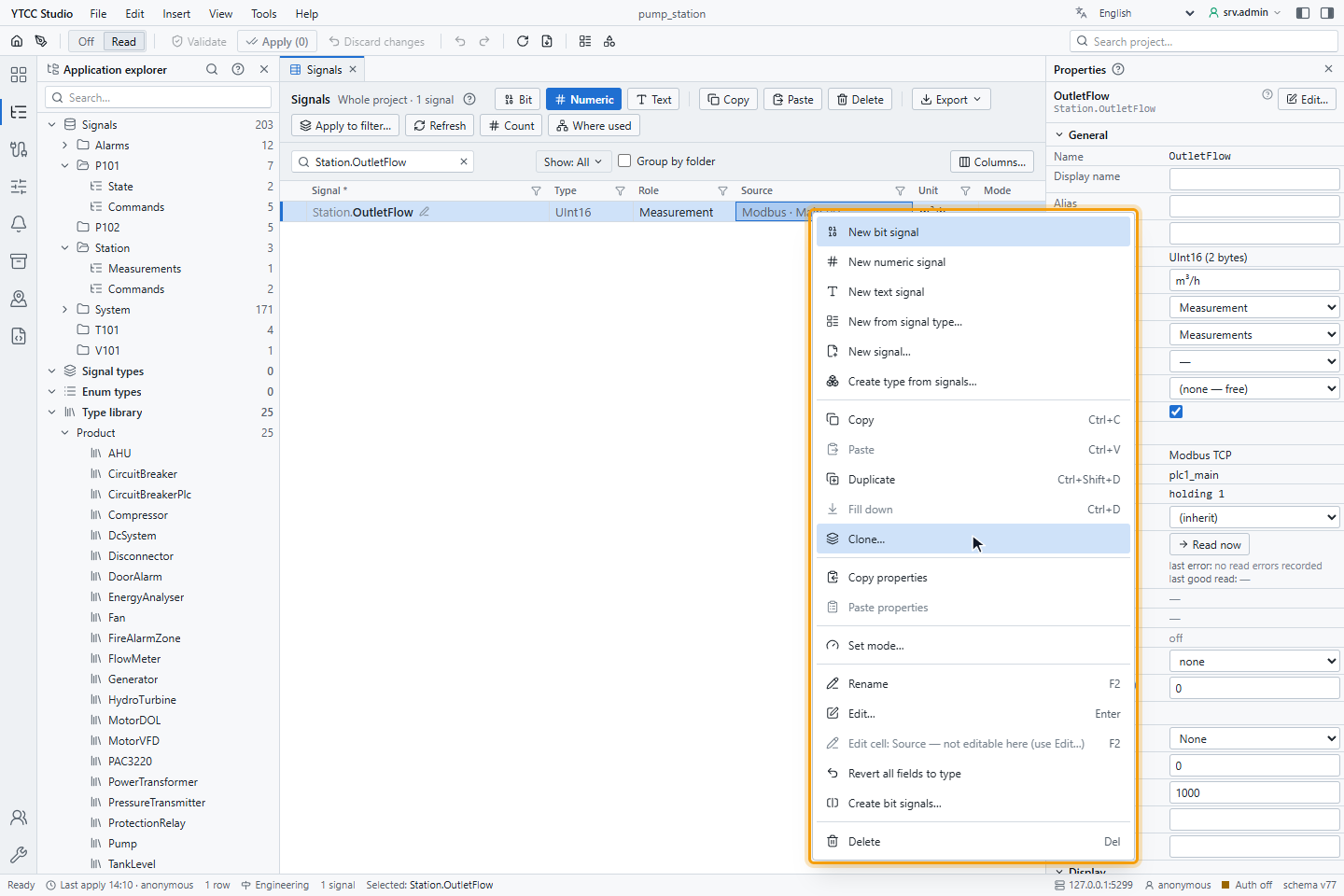
You can also open it from the Value source tab of a signal of the kind Bit of another signal (derived), with Create signals for several bits….
2. Choose the bits
In the window Create bit signals:
- Set From bit and To bit, here 0 to 3. Up to 64 bits are listed, as many as the word has.
- Tick the bits to create.
- Enter a Text per bit; it becomes the description of the signal and the text of its alarm.
- Optionally choose a State type with two state texts, tick Alarm and choose an Alert class.
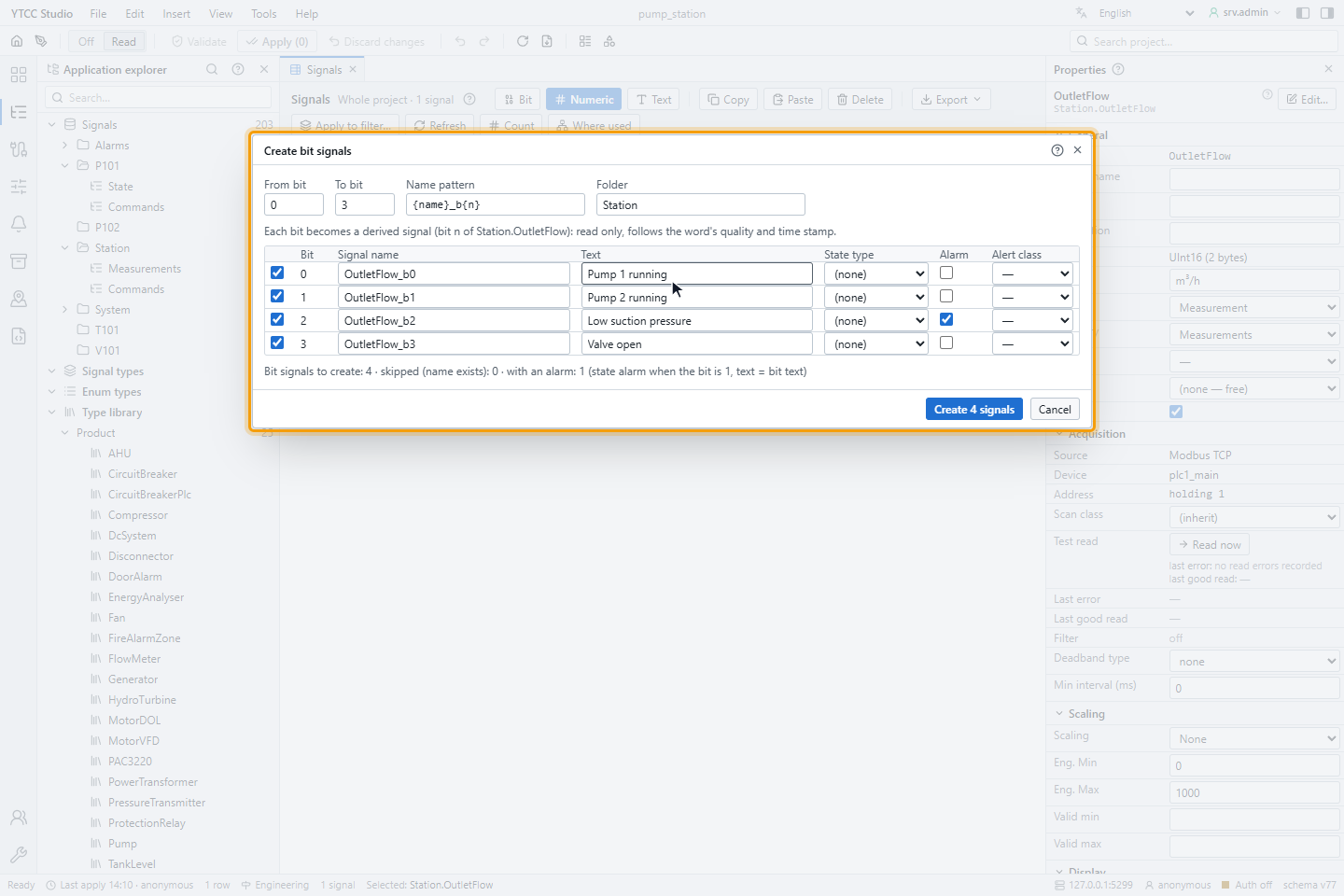
The names come from the Name pattern, by default {name}_b{n}: {name} is the name of the word, {n} the bit
number, {n:02} the bit number with two digits and {text} the text without spaces and special characters. You can
also overwrite the name in the Signal name column. New signals go into Folder, by default the folder of the word.
The summary below the table says how many signals will be created, how many are skipped because the name exists and how many get an alarm.
3. Create the bit signals
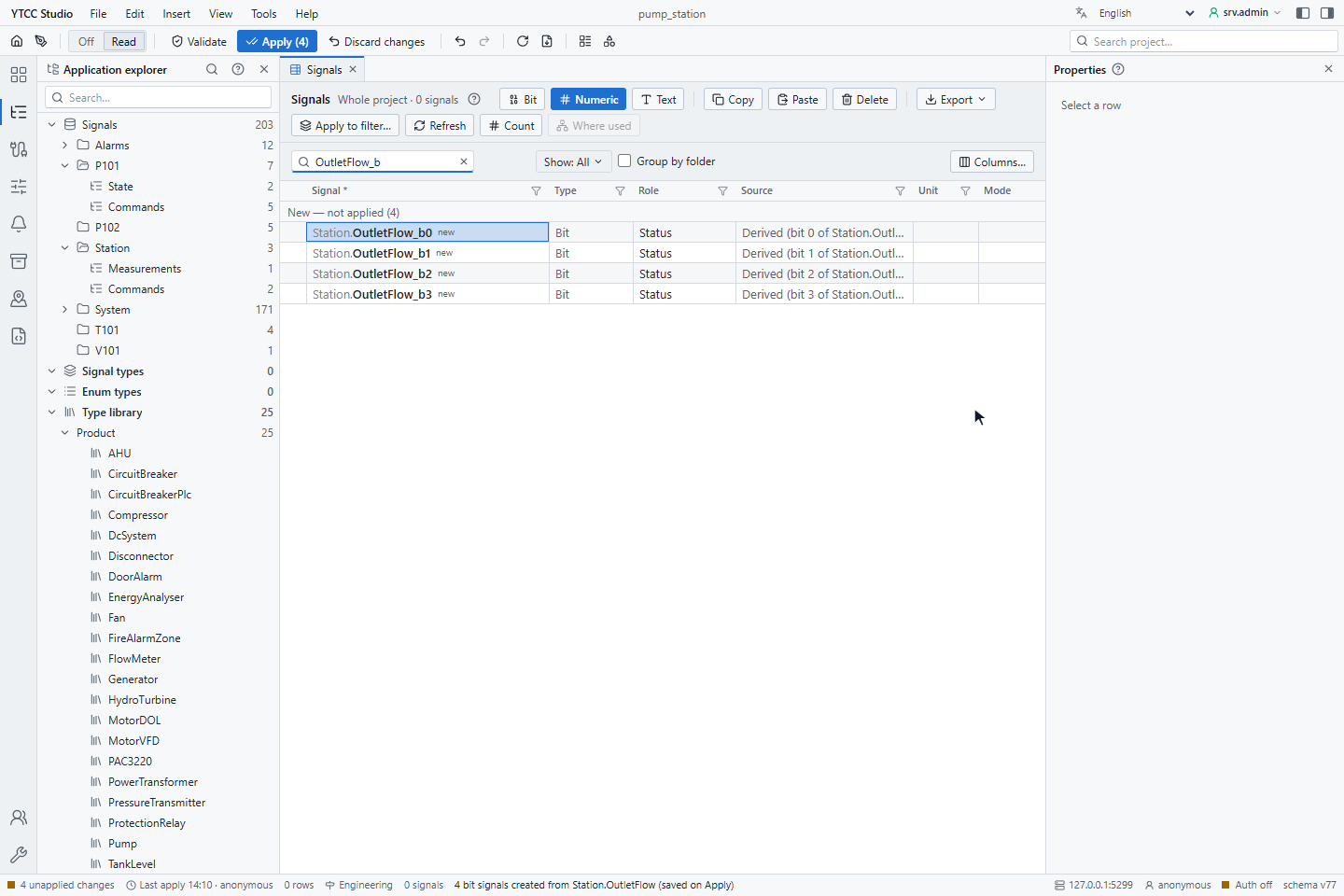
Click Create N signals. The signals appear in the list, here OutletFlow_b0 to OutletFlow_b3, as changes not yet applied. Apply the configuration to put them into operation; see Validate and apply.
How bit signals behave
- A bit signal has the type Bit and is read only: it cannot be written, by an operator or a script.
- It changes when the word changes and takes over the quality and time stamp of the word.
- An alarm created here is a state alarm that is active while the bit is 1, with the text of the bit.
- Names that already exist are skipped, not overwritten; two rows with the same name in the window are an error.