Internal signals
Not every signal comes from a device. Setpoints entered by operators, calculated totals, running hours of a pump or a delayed alarm condition are kept or calculated by YTCC itself. Such internal signals are set on the Value source tab of the signal with Value source (kind).
| Kind | What it does | Fields |
|---|---|---|
| Memory — holds a value (operator/script writes) | Keeps a value that operators, scripts or the interface write | On startup, Initial value |
| Expression | Calculates a value from other signals | Expression |
| Counter | Counts the changes of an input from 0 to 1 | Input tag, Reset tag (optional) |
| Runtime (hours) | Adds up the hours an input is true | Input tag |
| Threshold | Becomes true when an input exceeds a limit | Input tag, High |
| Timer | Delays or lengthens an input | Input tag, Timer type, Time (ms) |
| Totalizer (integrates a rate over time) | Adds up a rate over time, for example a flow in m³/h to a total in m³ | Input tag, Rate unit, Cut-off, Reset tag (optional) |
Only memory signals can be written from outside; the others are calculated by the server.
Before you begin
- The configuration editor is open and the signal exists; open its window. New signals created with Bit, Numeric or Text are memory signals. See Create signals.
Steps
1. A memory signal
Choose Memory — holds a value (operator/script writes) and set On startup, what the signal holds when the project starts:
| On startup | Value after a start |
|---|---|
| Keep last value (default) | The last value written; on the very first start the Initial value |
| Fixed initial value | Always the Initial value |
| Unknown (no value until written) | No value; the quality is uncertain until someone writes |
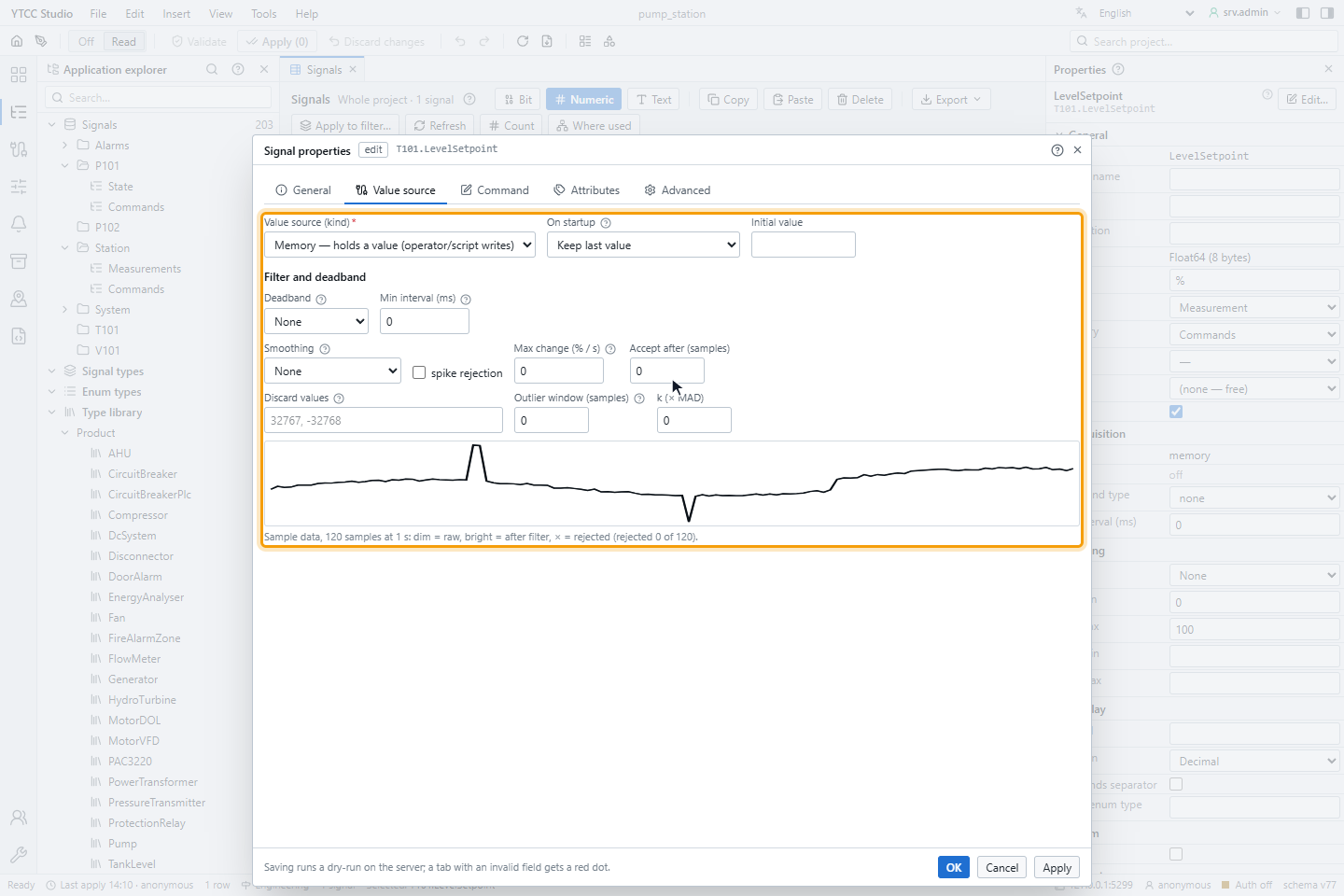
The initial value must fit the data type and the engineering range of the signal.
2. An expression
Choose Expression and enter the formula. Refer to other signals with their path in braces, for example
if({P101.Running} || {P102.Running}, {Station.OutletFlow} / 10, 0).
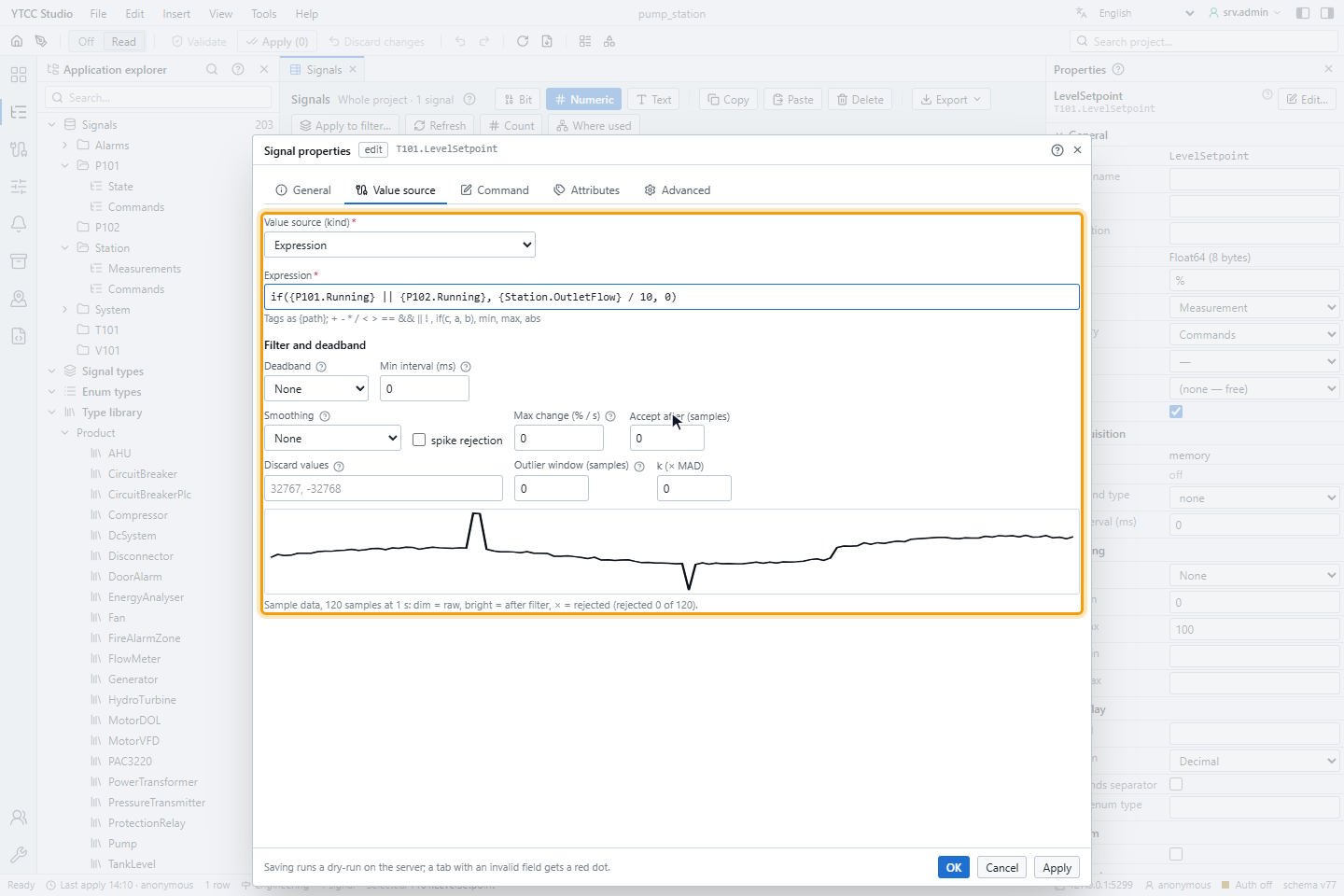
All operators, functions and rules are listed in Expression syntax of internal signals.
3. A timer
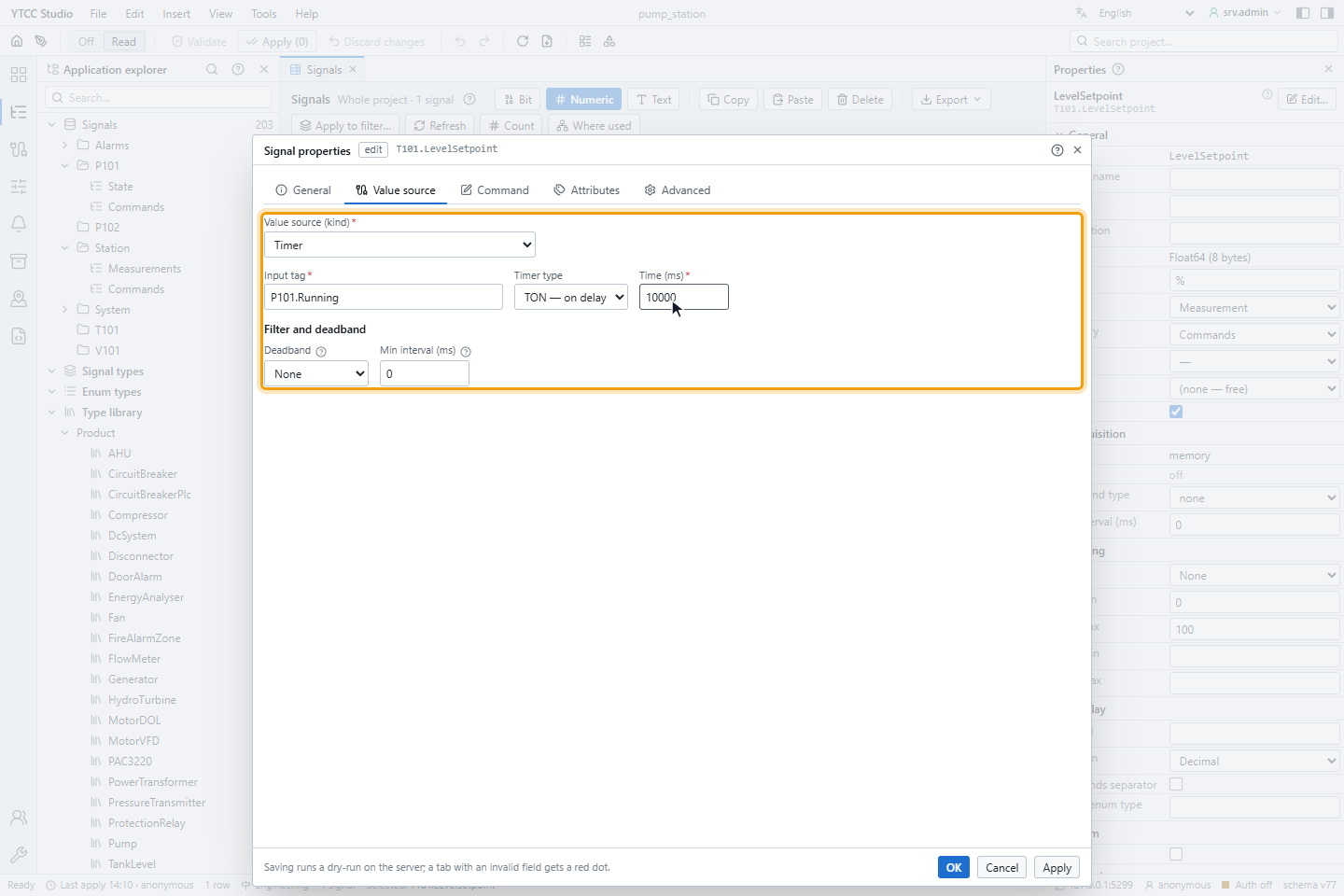
Choose Timer, pick the Input tag (type at least a part of its name and choose it from the list), the Timer type and the Time (ms), here an on delay of 10 seconds on P101.Running.
| Timer type | Output |
|---|---|
| TON — on delay | True when the input has been true for the time; false as soon as the input is false |
| TOF — off delay | True as soon as the input is true; false when the input has been false for the time |
| PULSE | A pulse of the time on each rise of the input; rises during the pulse are ignored |
Click OK and apply the configuration; see Validate and apply.
Counter, running hours and threshold
- Counter counts each change of the input from 0 to 1 with good quality; the first value after a start is not counted. While the reset signal is true the counter stays at 0.
- Runtime (hours) adds up the time the input is true with good quality; a bad input pauses it.
- Threshold becomes true when the input rises above High and false when it falls below it again. It starts false.
Totalizer
A totalizer adds rate × elapsed time to its total all the time. Drivers send a value only when it changes, so the last good rate counts until the next value arrives. Float64 is the recommended data type.
| Field | Default | Meaning |
|---|---|---|
| Rate unit | per hour (/h) | Time unit of the input: per hour (/h), per minute (/min) or per second (/s). Flow meters usually report per hour |
| Cut-off | 0 | A rate below this counts as 0. With 0, negative noise around zero never decreases the total; raise it, for example to 0.5 m³/h, to stop creeping at low flow. It must be 0 or more |
| Reset tag (optional) | — | While this signal is 1, the total stays at 0 |
While the input quality is not good, nothing is added and the total takes over the input's quality; an input that is not a number counts as bad. The output changes at most once a second; the amount in between is not lost but added at the next update. A reset shows at once.
Quality of the result
- An expression is calculated only when all inputs have a value with good quality. Otherwise it keeps its last good value with the quality Bad.
- Counters, running hours, thresholds, timers and totalizers take over the quality of their input.
What survives a restart
Memory signals with Keep last value, counters, running hours and totalizers are stored on the server and continue after a restart of the project. Memory values and counters are stored at most once a second, running hours and totalizers every 30 seconds; a crash can lose the last seconds.
Good to know
- Internal signals may have any data type: Bool, integers of 8 to 64 bits, Float32, Float64, String, Date/time and enum. Filter and deadband apply only to numeric types.