Align and arrange objects
The bar at the bottom of the screen editor aligns, distributes, sizes and flips the selected objects. Most commands use a reference: the object that stays where it is and that the others are aligned to.
Before you begin
- The page has the objects to arrange.
Steps
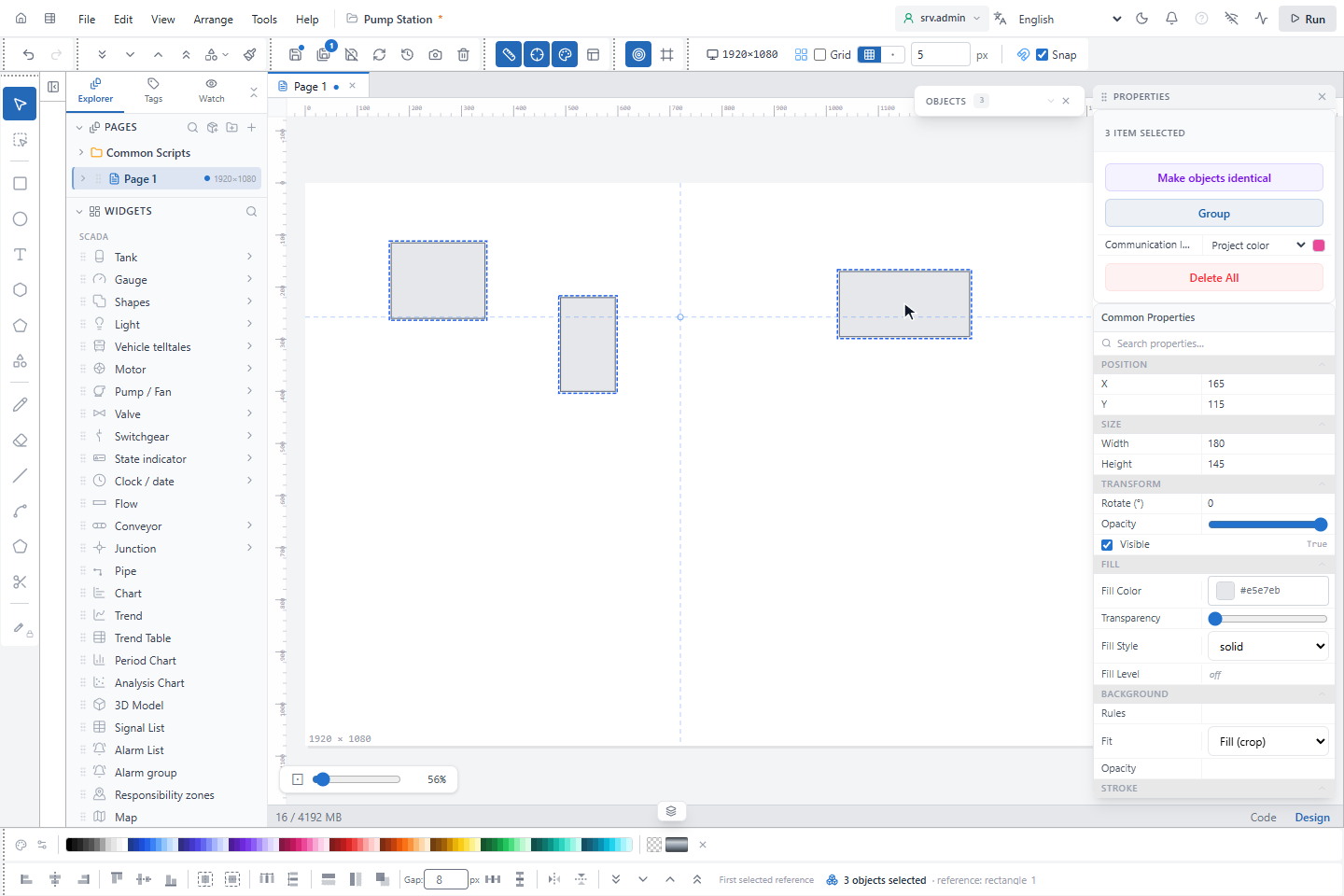
1. Select with the reference first
Click the object that should stay in place, then add the others with Shift. The right end of the bar shows the rule in use:
| Bar shows | Reference |
|---|---|
| Select component | Nothing selected |
| Single selection → per page | One object: it is aligned to the page |
| First selected reference | The first object you clicked; with a selection box or Ctrl+A, the topmost or leftmost one |
A group counts as one object.
2. Align
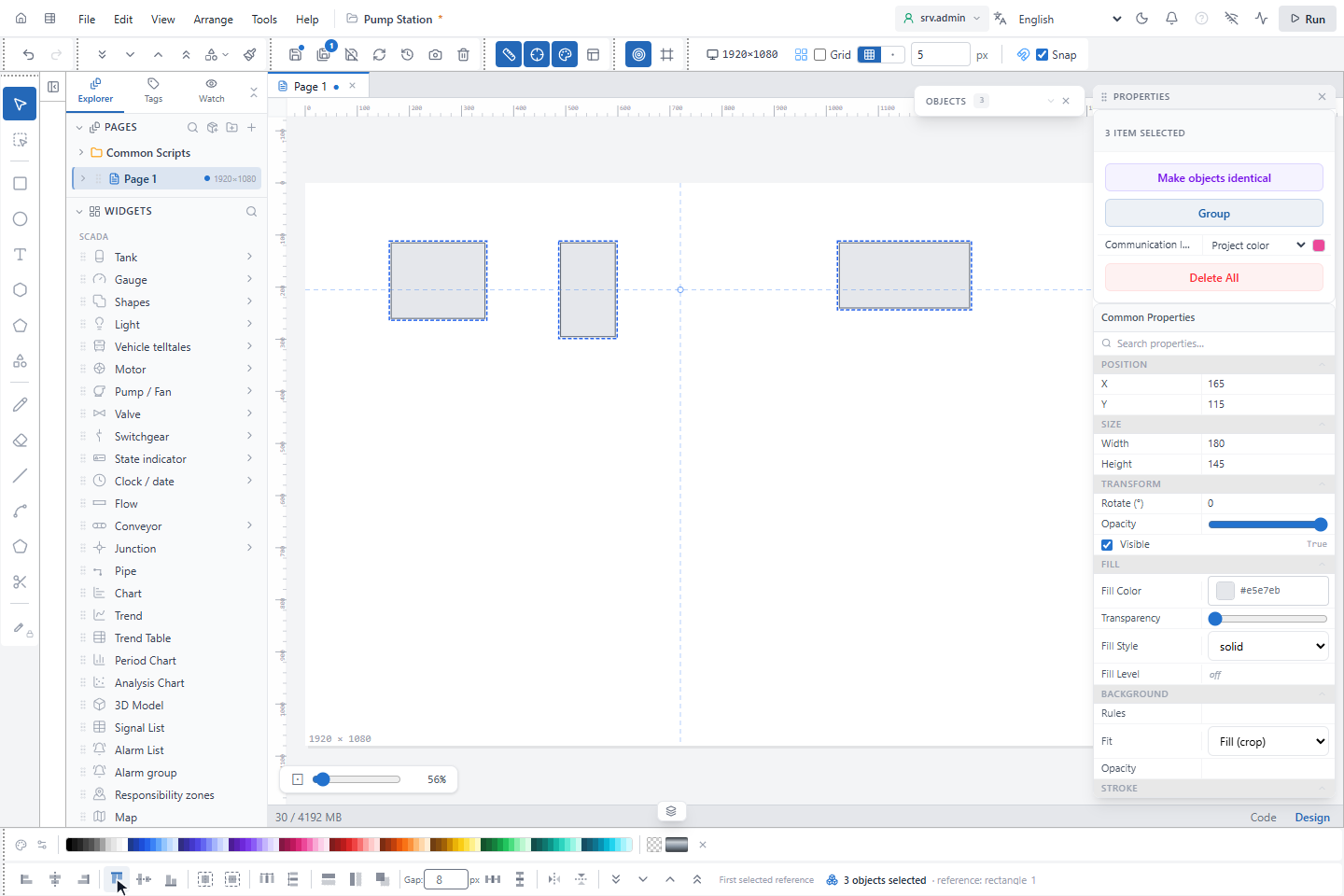
Click an alignment button, here Align Top: all objects take the top edge of the reference.
| Buttons | Effect |
|---|---|
| Align Left, Align Right, Align Top, Align Bottom | Edges on the edge of the reference (one object: on the page edge) |
| Center Horizontally, Center Vertically | Centres on the centre of the reference |
| Center horizontally on page, Center vertically on page | The whole selection centred on the page |
3. Distribute and match size
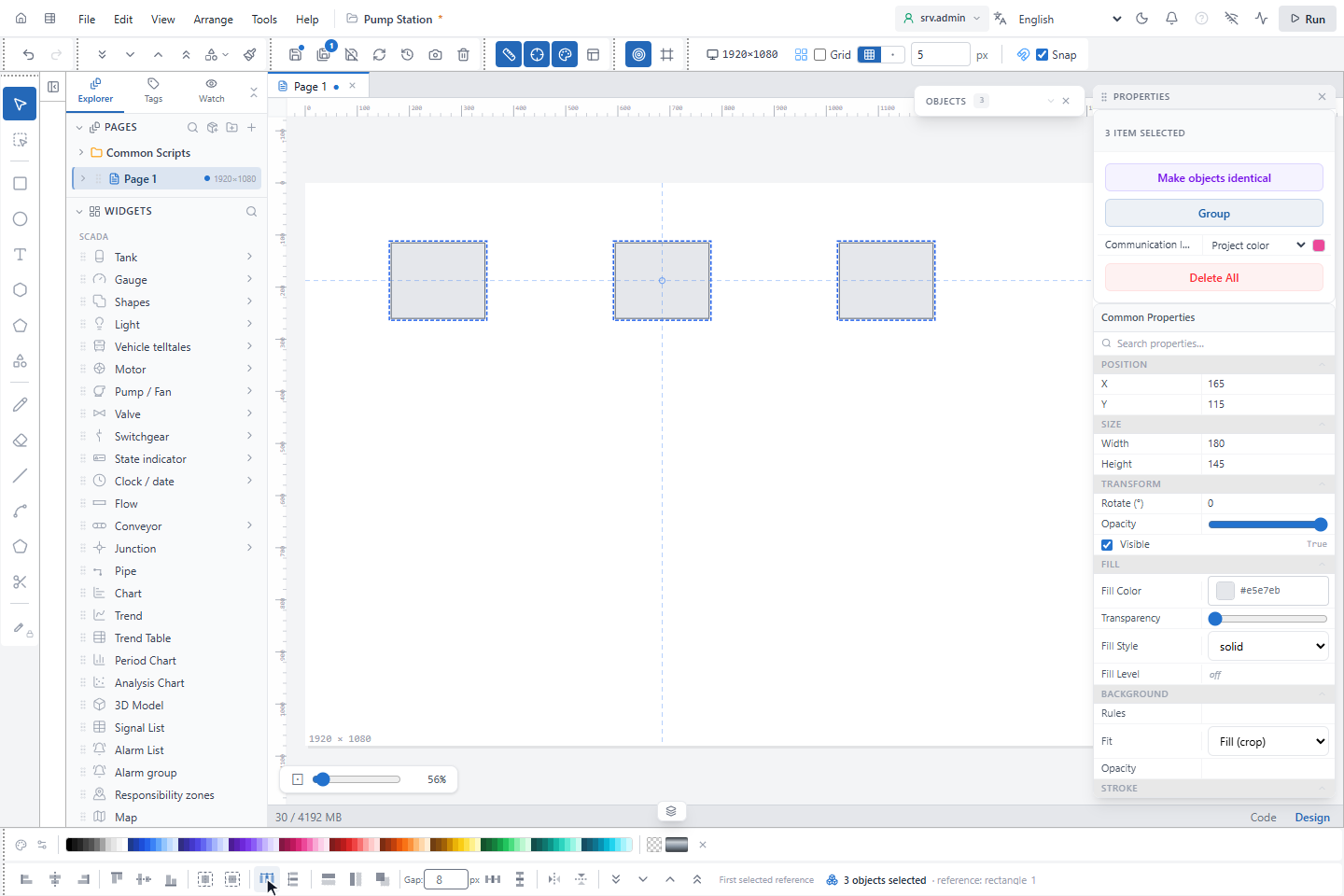
Match Size gives all objects the width and height of the reference (Match Width and Match Height only one of them). Distribute Horizontally spaces three or more objects evenly between the outer two.
| Buttons | Effect | Needs |
|---|---|---|
| Distribute Horizontally, Distribute Vertically | Equal spaces between the objects; the outer ones stay | 3 or more |
| Distribute Horizontal — between, Distribute Vertical — between | The others are placed next to the reference with the Gap in px (8 by default; negative overlaps) | 2 or more |
| Match Width, Match Height, Match Size | Size of the reference | 2 or more |
| Flip Horizontal, Flip Vertical | Mirror the objects | 1 or more |
The order buttons at the end of the bar are described in Group, lock and layers.
Good to know
- Centring uses the pivot point of the reference, which is its centre unless you moved it.
- Electrical wires connected at both ends are not moved by alignment.