Topological interlocking
Before a command to a switch is sent, YTCC calculates the network as if the command had already been carried out ("what if") and checks the result against a set of rules. A command that would, for example, close onto an earthed section or parallel two networks is refused with the reason. The screen and the server check with the same rules.
Topological interlocking is an additional layer. The electrical and mechanical interlocks in the switchgear remain the real protection; never rely on the SCADA interlock alone.
Rules and levels
Each rule has a level, set per project (see Set the interlock rules):
- Do not check: the rule is not evaluated.
- Unlockable: the command is blocked, but an authorised user can override it for this one command.
- Locked: the command is blocked and cannot be overridden by any permission.
| Rule | Blocks when | Default | Why |
|---|---|---|---|
| Energizing onto earth | Closing joins an earthed section to an energized or undefined one, or creates a section that is both energized and earthed; closing an earthing switch while a measurement on the section does not say "no voltage" | Unlockable | A real danger; a qualified person must be able to decide knowingly |
| Switching in an undefined area | Closing with both sides undefined | Unlockable | Switching without knowing the state |
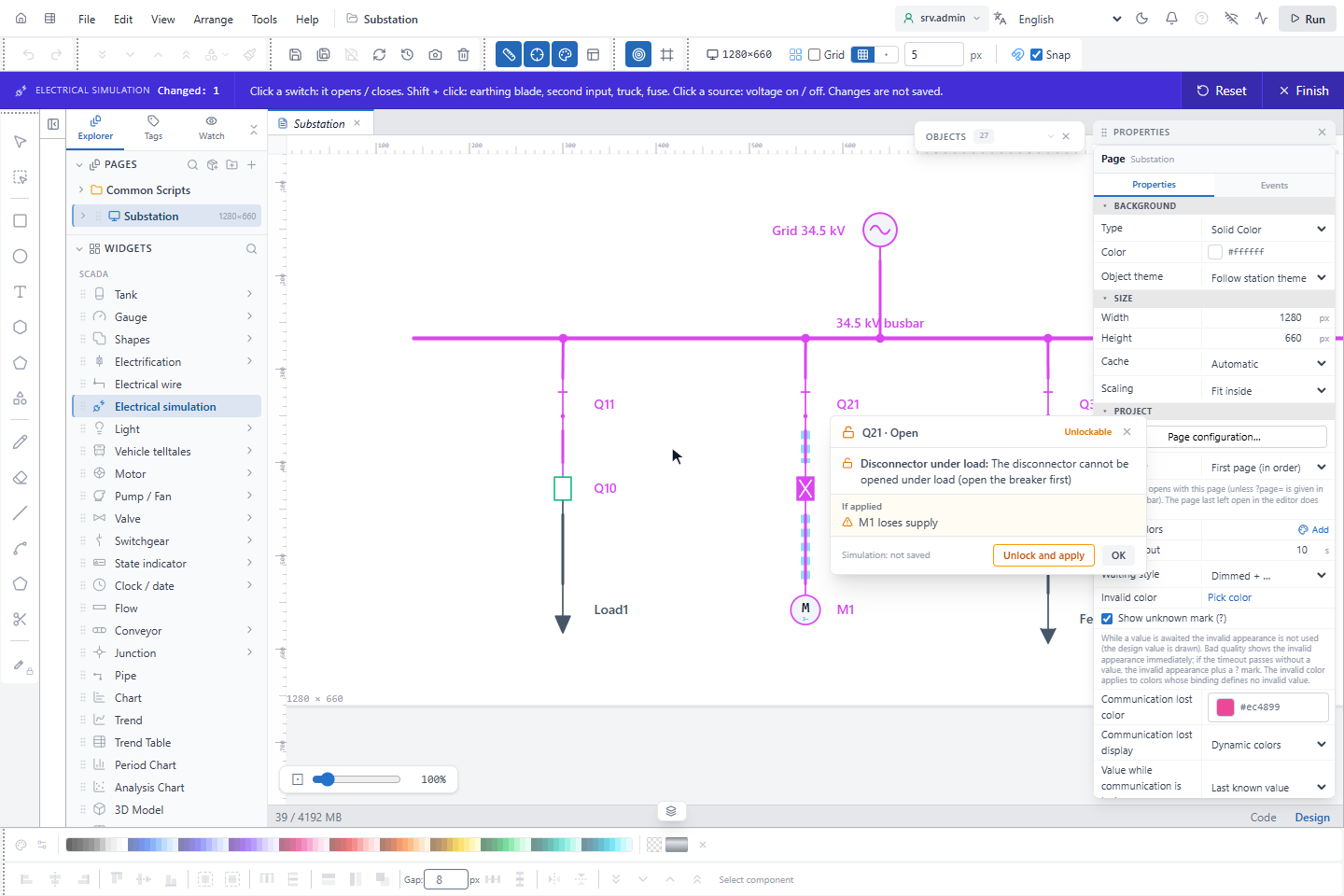
| Disconnector under load | A disconnector is opened or closed while load current would flow | Unlockable | A disconnector cannot break load; open the breaker first |
| Device loses supply | Opening leaves a supplied consumer without supply | Do not check | Opening a feeder is normal operation |
| Undefined area grows | Closing with one side undefined and the other not | Unlockable | The uncertainty spreads |
| Joining different networks | After closing, two different sources certainly reach one section | Locked | Paralleling two unsynchronised networks is dangerous |
| Joining different voltage levels | Closing certainly joins sections of different nominal voltage | Locked | Always a mistake |
| Possible join | After closing, a join of different networks or voltage levels is possible (a position is not certain) | Unlockable | The join may not happen; a qualified person decides |
A possible join can never be stricter than the rule it belongs to: if Joining different networks or Joining different voltage levels is Do not check, the possible join of that kind is not checked either.
Internal locks
Some locks always apply. They cannot be switched off and cannot be overridden:
| Lock | Text |
|---|---|
| Position unknown (intermediate, invalid, bad quality, awaited) | Position unknown: no command possible |
| The device is already in the requested position | Already closed / Already open |
| Closing while tripped | Tripped by protection: reset the trip first |
| Moving the truck while the breaker is closed | The truck cannot be moved while the breaker is closed |
| Local control, or local / remote unknown | In local control: no remote command possible |
| The symbol definition is invalid | Symbol definition is invalid: cannot be opened / closed |
| The device state cannot be read, or the device is not in the network | The command is not sent: interlocks could not be checked |
Opening a breaker is always allowed
Opening a switch that can break load (a circuit breaker, load break switch, contactor or the main position of an ATS) is the safe direction: no topological rule is applied, and Position unknown does not block it either. A breaker whose position contact has failed, or that is stuck in an intermediate position, must be openable in an emergency. Only local control and "already open" (when the position is certainly open) remain.
Opening a disconnector (under load), opening an earthing switch (removing earth is a step towards voltage), the second position and moving the truck are checked with the normal rules.
The server checks too
When the command point belongs to an electrical device, the server checks the command again with the same rules before it goes to the driver. A command sent past the screen, for example by another client or directly to the interface, goes through this check as well.
- If the network information is not available or is out of date, the command is not sent.
- A server script cannot write to the command point of an electrical device; the attempt is refused and recorded.
- With Selection required (server) on, a command is sent only to a device that was first selected in the control panel, so two operators cannot control the same device at the same time.
- The command log of every electrical command contains the interlock result and the network version.
Join warning
An open switch whose two sides are fed from different sources is marked on the diagram before anyone clicks it:
- a red dashed frame with a ≠ badge when closing it would join different voltage levels, for example If closed, different voltage levels are joined (154 kV ↔ 34.5 kV);
- an amber frame and badge when it would join different networks, named as in the source table;
- an amber frame with a ? badge when it would join sections whose supply is not certain.
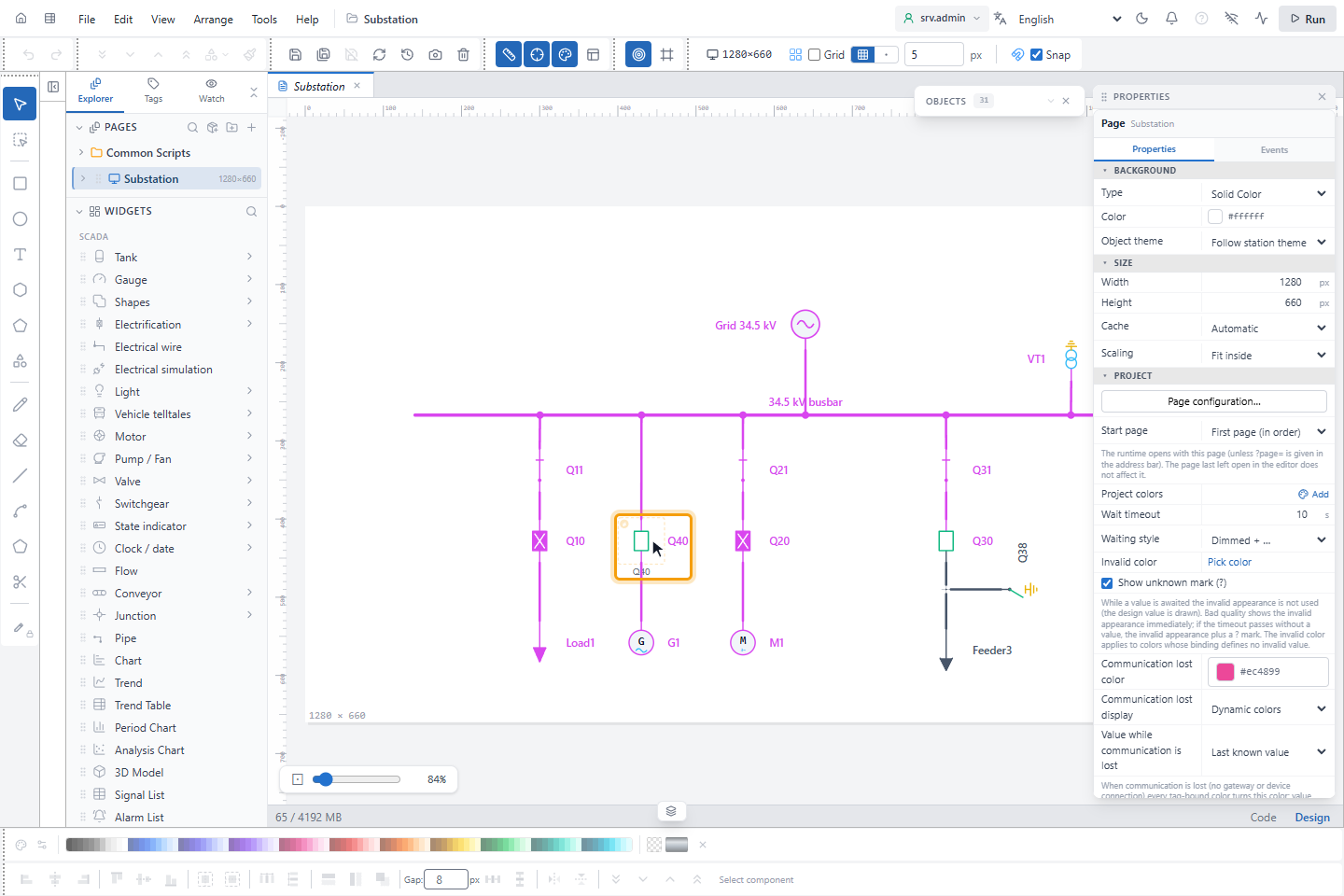
Earthing switches, closed switches, switches with a dead or earthed side and switches with an unknown position are not marked; neither is a ring closed on one source. The warning also works when automatic coloring is off. A kind whose rule is Do not check is not marked.
What-if preview
When the operator selects a command in the control panel, and when a simulated operation is blocked in the editor, the network is calculated as if the command were carried out. The sections whose state would change get a dashed overlay: red for a short circuit or a voltage mix, amber for paralleled networks, blue for a section that loses supply, is energized, is earthed or becomes undefined. A result line names them, for example Busbar A, Busbar B: different networks are paralleled.
Overriding an interlock
An interlock whose violated rules are all Unlockable can be overridden for one command with Force send in the control panel. Responsibility lies with the person who overrides it; a project that wants stricter operation sets the rule to Locked.
- Locked rules and internal locks can never be overridden, and in a project without authentication no interlock can be overridden, because nobody can be identified.
- The user needs Field writes. With the second-user approval off, the user also needs Override electrical interlock (see Permissions).
- The override window shows the violated rules and the what-if result, and asks for a reason and the user's own password.
- With Interlock override: second-user approval on (the default), a second user, for example the shift supervisor, approves with their name and password. The approver must be another user and needs Override electrical interlock and Approve commands (four eyes).
- The server checks again and issues a short-lived permission bound to the user, device, action, value and rules. If the interlock state differs when the command is sent, the command is refused with Interlock state changed: check the interlocks again.
- The event list records Interlock overridden (who, when, device, action, rules, reason, approver, result) and every Interlock override refused with its reason. Passwords are never recorded. After ten wrong attempts within ten minutes, further attempts are refused for a while; wrong passwords also count towards the account lockout.